Design single line diagrams
directly in your planning
Create, edit, and reuse professional single line diagrams without leaving Reonic. Fully integrated into your planning workflow.
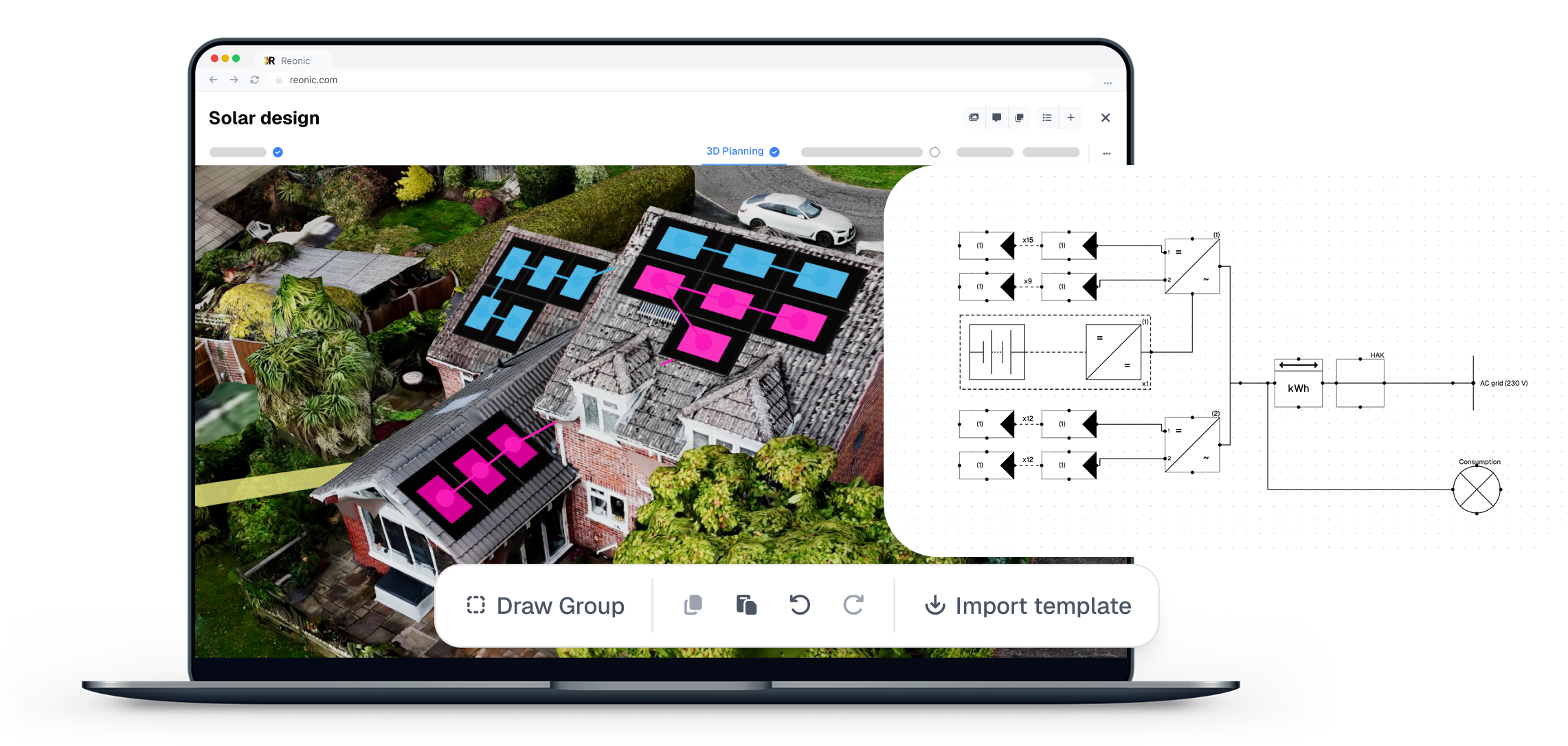
AI Single-line diagram
Auto-generate single-line electrical diagrams
Create a single-line diagram from your planned system. Refine the components and connections in the editor, then export the saved diagram.
Everything you need for professional diagrams.
The Reonic diagram editor gives you full control over your single line diagrams — from quick edits to complex, multi-inverter layouts.
AI-assisted edits
Ask for changes to the diagram you already have. Add a protective device, remove an element or change a connection without selecting each tool yourself.
Fully Editable
Modify modules, strings, and inverters. Add new components, copy, paste, or delete existing ones.
Diagram Templates
Save any diagram as a template and reuse it across other systems and projects.
Import Diagrams
Import an existing diagram to use as a starting point — no need to start from scratch.
Labels & Descriptions
Add labels and descriptions to each element for clear, self-documenting diagrams.
Custom legends
Create a custom legend to explain each part of the diagram
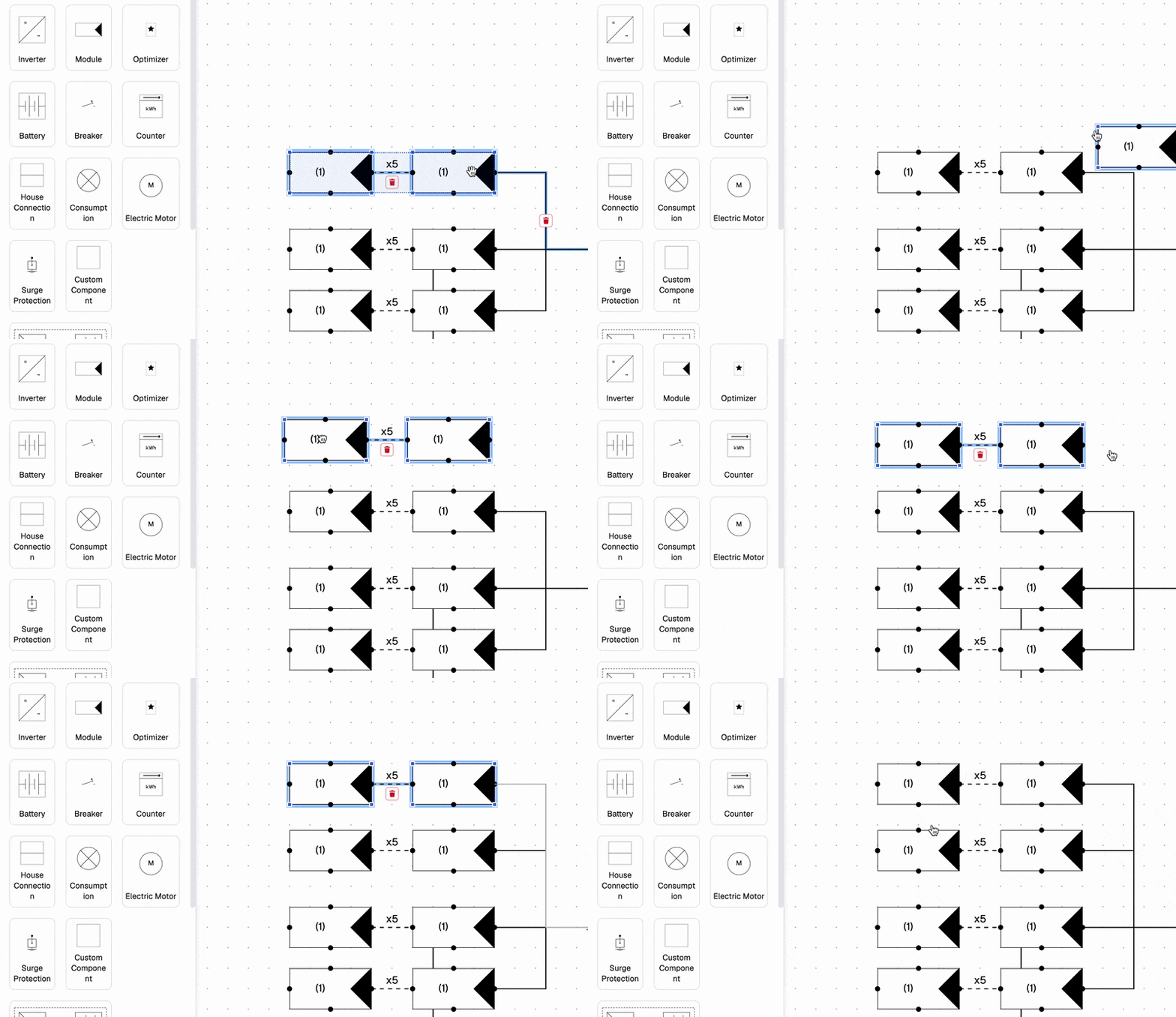
Full control over every component
Add new components or remove existing ones in seconds
Copy and paste elements to quickly build complex layouts
Describe the change. Refine the diagram.
Start with the single-line diagram generated from your planned components. Ask AI to add, remove or reconnect elements, then review the result in the editor and save your changes.
See the change in your diagram and continue editing by hand whenever you need to. Save the version you want to keep.
Available for residential projects in workspaces with AI Circuit Plan enabled.
Remove the battery DC isolator.
Connect the inverter to a three-phase meter.
Save time with reusable templates
Reuse templates across different systems and projects
Import existing diagrams to use as a starting point

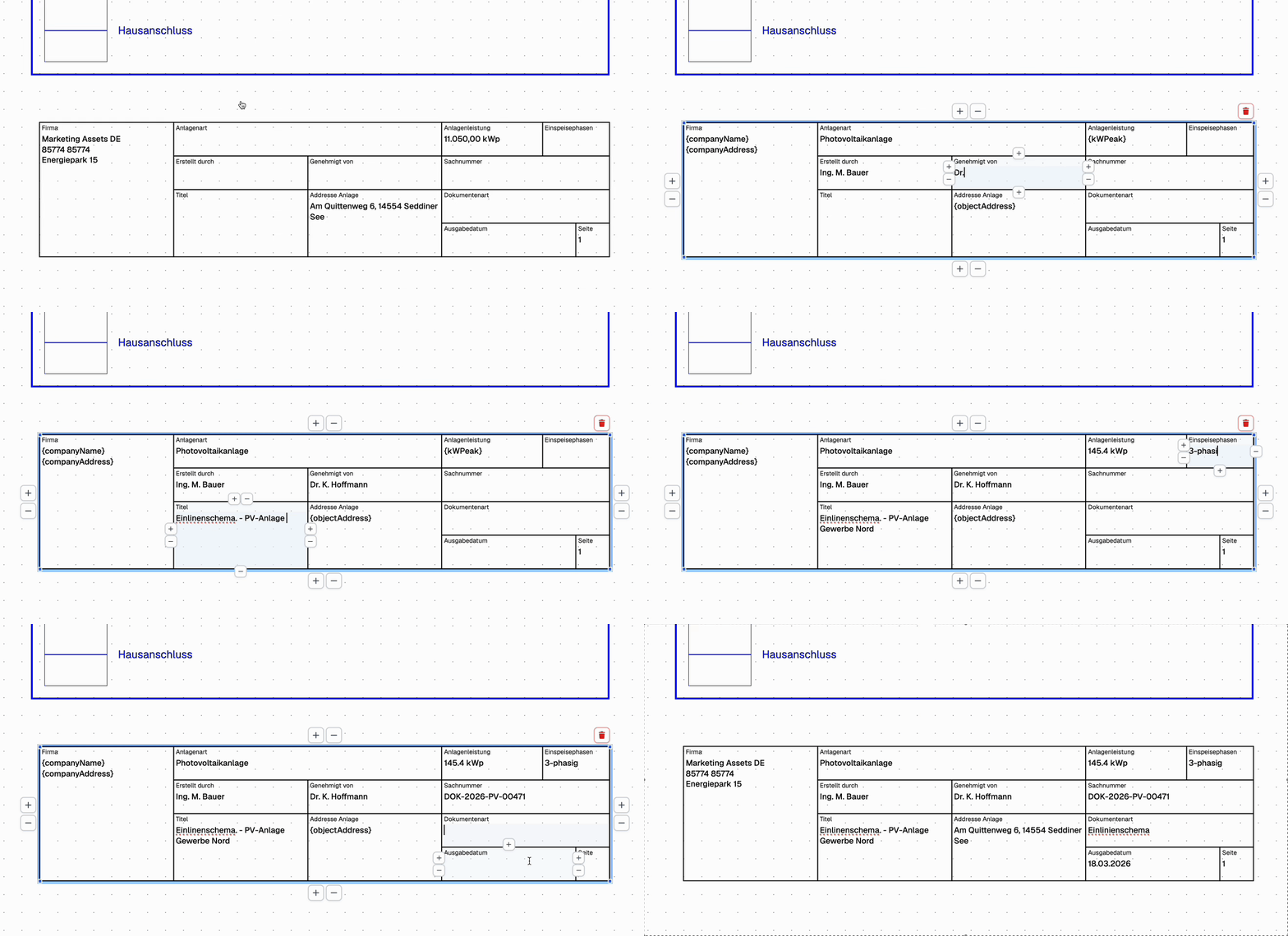
Document every detail
Add labels and descriptions to every element
Generate professional documentation ready for handover
Book a demo. Get to know all products and features.
In a personal product presentation, we'll show you all products and features. Free of charge, no obligation and tailored to your business and needs.

Yes. AI Circuit Plan lets you describe additions, removals and connection changes on an existing residential diagram. Review the result in the editor before saving. This feature is available in workspaces where it is enabled.
No. The diagram editor is fully integrated into Reonic and accessible directly from any planning with one click — no additional software or subscription required.
Yes. You can save any diagram as a template and apply it to other systems and projects, saving time on recurring configurations.
You can modify modules, strings, and inverters, add new components, copy, paste, or delete existing ones, and add labels and descriptions to each element.
Yes. You can create a custom legend to explain each part of the diagram, making your documentation clear and professional.