Solar design software that runs from roof to signed offer
Reonic is PV design software for installers who plan for a living. Model the roof in 3D from real data, lay out modules, simulate shading and yield, size the strings and inverters, and hand the customer a finished proposal. One tool, one project file, no exports between five apps.
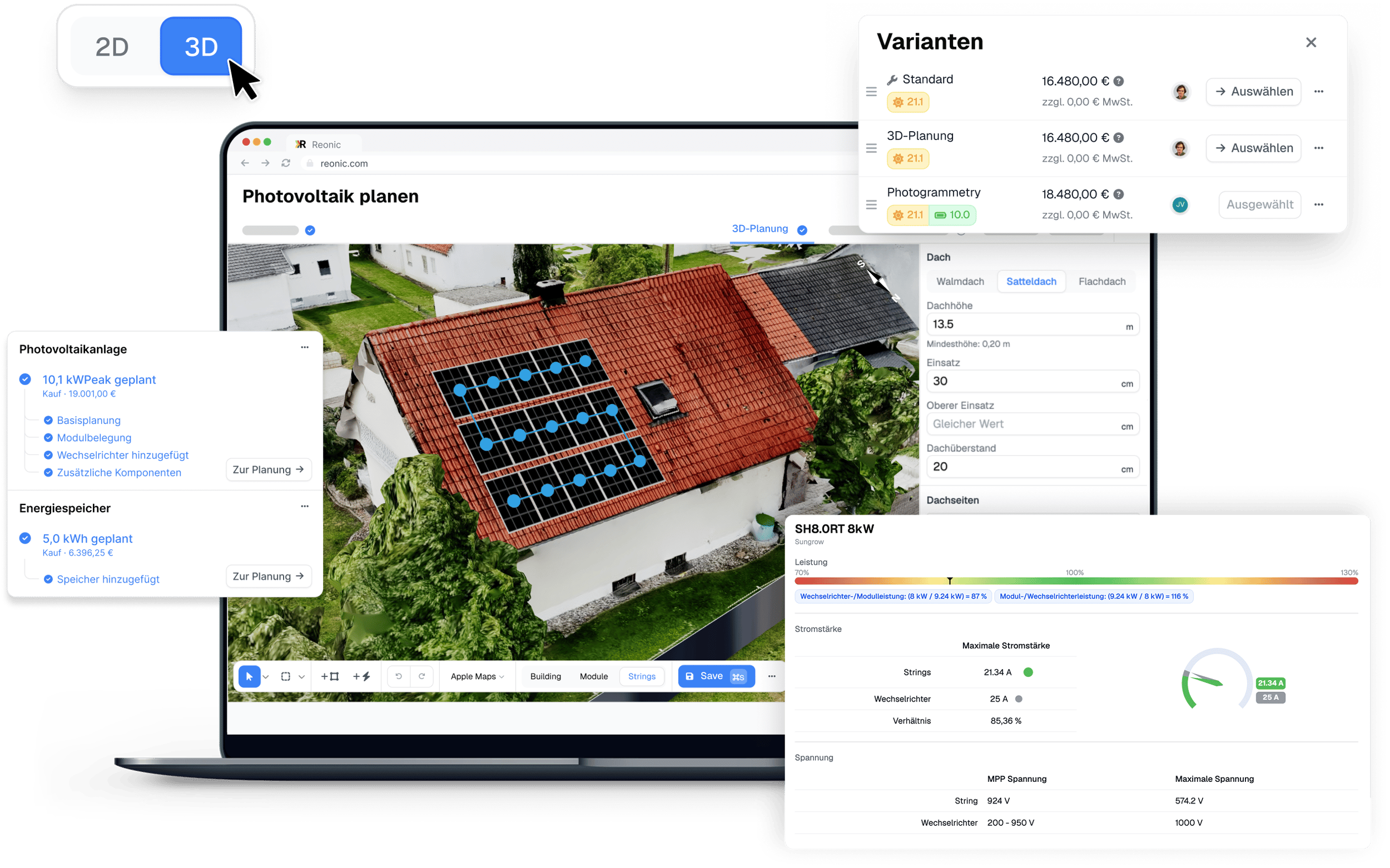
Plan from satellite, drone, or a hand-drawn roof
Good design starts with accurate geometry. Reonic pulls the roof from whatever data the site has, so you're laying out modules on the real building instead of a sketch.
Google Solar 3D
Google's solar mesh, region-checked per building. Read the roof tilt straight off the model with the measure tool.
Google Earth 3D tiles
Photo-textured 3D city tiles for the places Google Solar doesn't cover yet.
Drone photogrammetry
Fly the site, upload the photos, and Reonic returns a measured, textured 3D model in 15 to 45 minutes. It reads GPS and gimbal data from DJI imagery, then drops straight into the planner as the base for module placement.
Building AI from OpenStreetMap
Auto-seeds the roof outline, chimneys, and nearby trees, so most projects open with a head start you then review and correct.
Apple, Google, and Bing orthophotos
Flat top-down imagery from the major providers when you just need a clean outline to trace.
Architect's floor plan or custom image
For buildings that aren't built yet. Upload the plan, scale it to real dimensions with a reference line, then draw on top.
The background imagery is visual reference only. The tilts, shapes, and obstacles you set drive the simulation, so the result doesn't depend on which map provider you picked.
Model any roof, at any size and pitch
Real roofs aren't rectangles. Reonic handles the shapes you actually meet on site, with per-surface control over everything the simulation reads.
Flat Roof – genuinely flat, shed (Pultdach), and east-west ballasted commercial layouts
Obstacles – chimneys, dormers, skylights, and exclusion zones, each with a real height for shading
Edge setbacks – set the fire-code or aesthetic inset per roof and the layout respects it
Multi-roof sites – draw each roof separately; the simulation aggregates them into one result
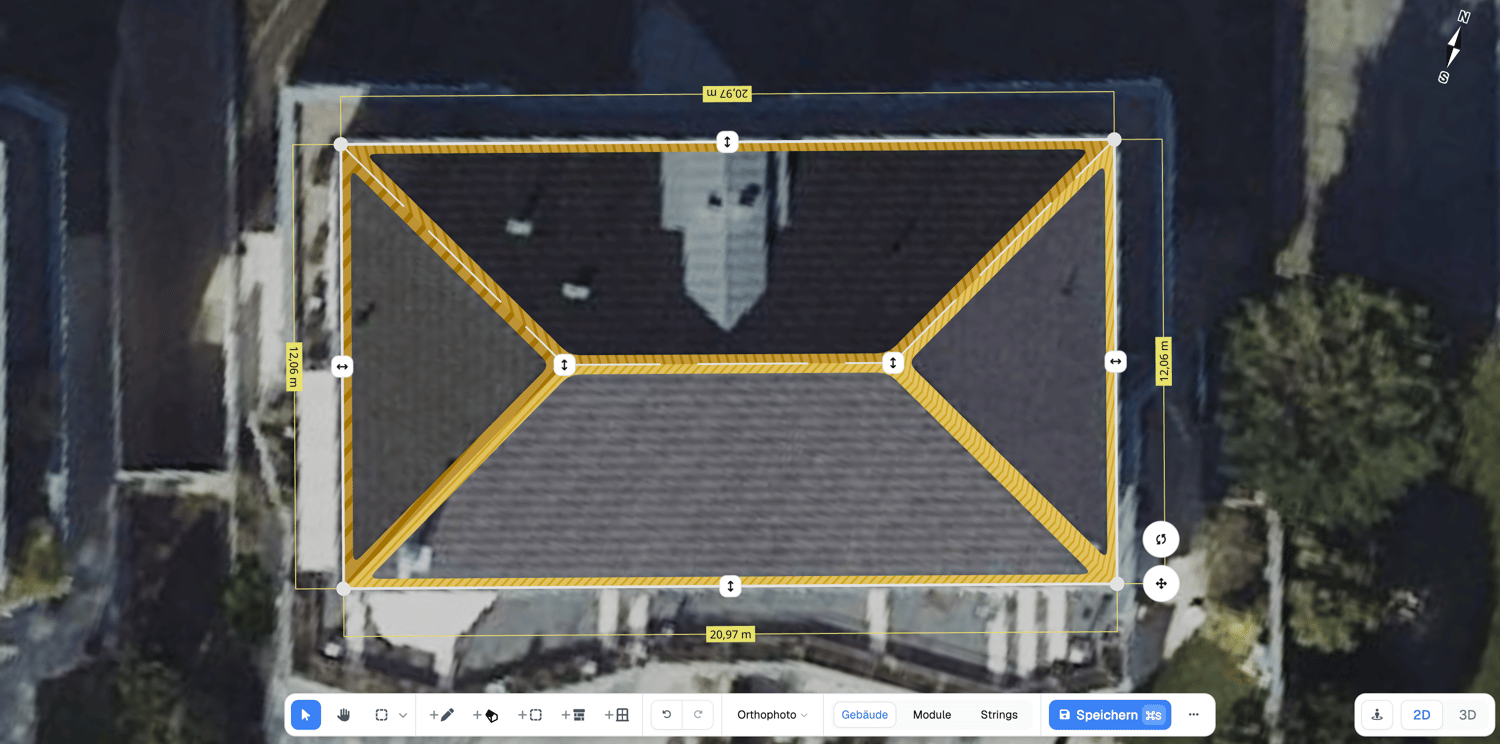
Lay out modules in seconds, then tune by hand
Fill the roof automatically, then keep full manual control where it matters. Reonic's layout tools handle the auto-fill and the cleanup a real roof forces on you.
One-click auto-fill
Optimize Layout grids the roof with modules, respecting exclusion zones, dormer footprints, and your edge setback. Typically 80 to 90% of the final layout before you touch it.
Manual panel groups
Drag to define rows by columns on atypical roofs. Control horizontal and vertical gaps, orientation, and tilt relative to the surface.
East-west on flat roofs
Two-sided double rows with bidirectional orientation, plus free rotation to align the array with the building axis.
Swap module type mid-process
Change the module on a placed group without redrawing the layout when the customer switches model.
Remove modules cell by cell
Delete individual grid cells the way real roofs force you to, without breaking the rest of the group.
Hundreds of modules
Plan large commercial arrays on a single project. There's no hard module cap.
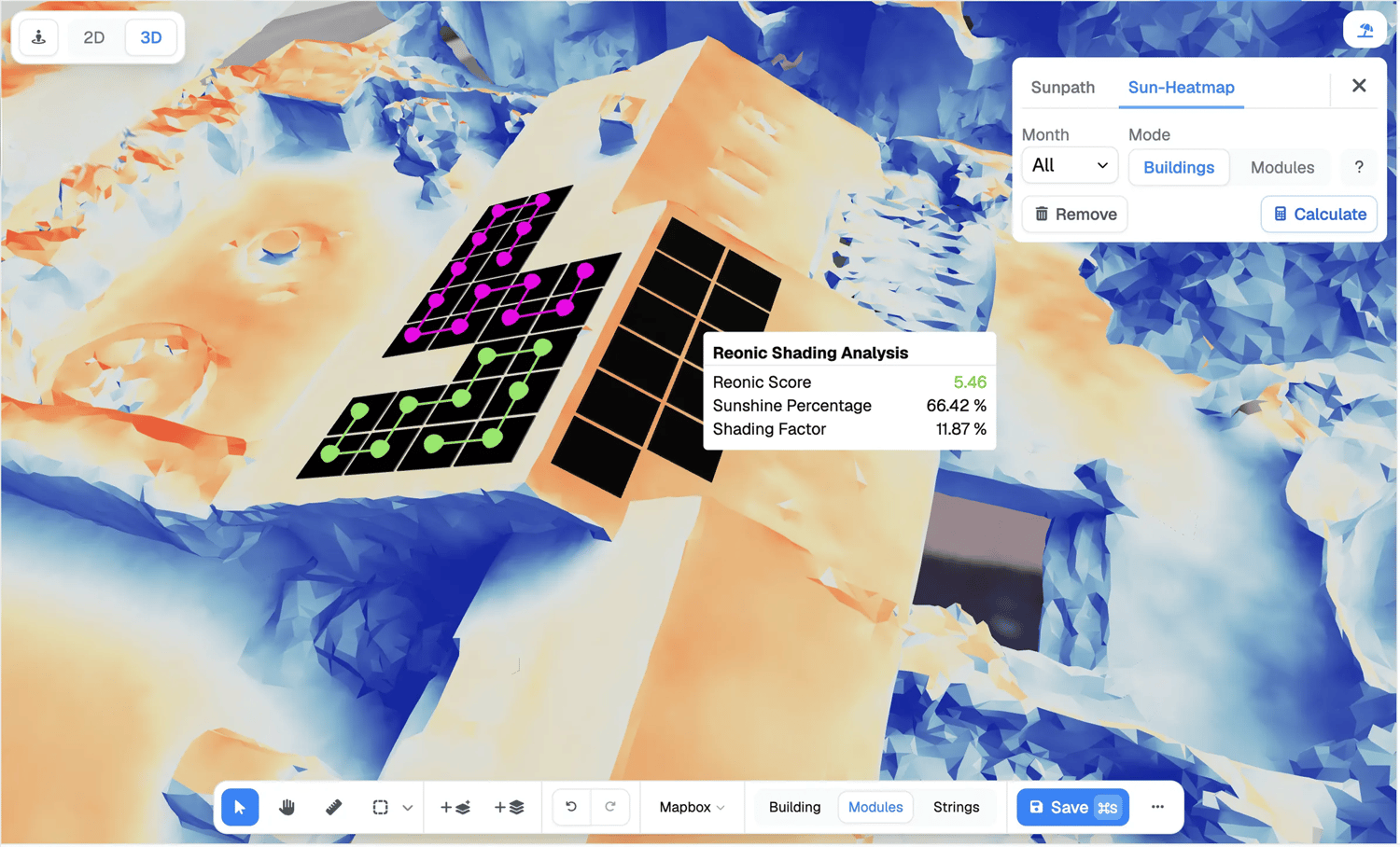
State-of-the-art shading and yield simulation
Shading is where optimistic designs lose money. Reonic simulates the sun across the whole year in 3D and shows you exactly which panels pay for it.
Per-panel Reonic Score – every module is scored 0 to 10 on how well it tracks the sun, coloured on a heatmap
Annual and monthly loss – total shading loss as a headline percentage plus a month-by-month chart
Yield on real inputs – modelled from the nearest weather station, each surface's orientation and tilt, the shading, and the module's temperature behaviour and degradation
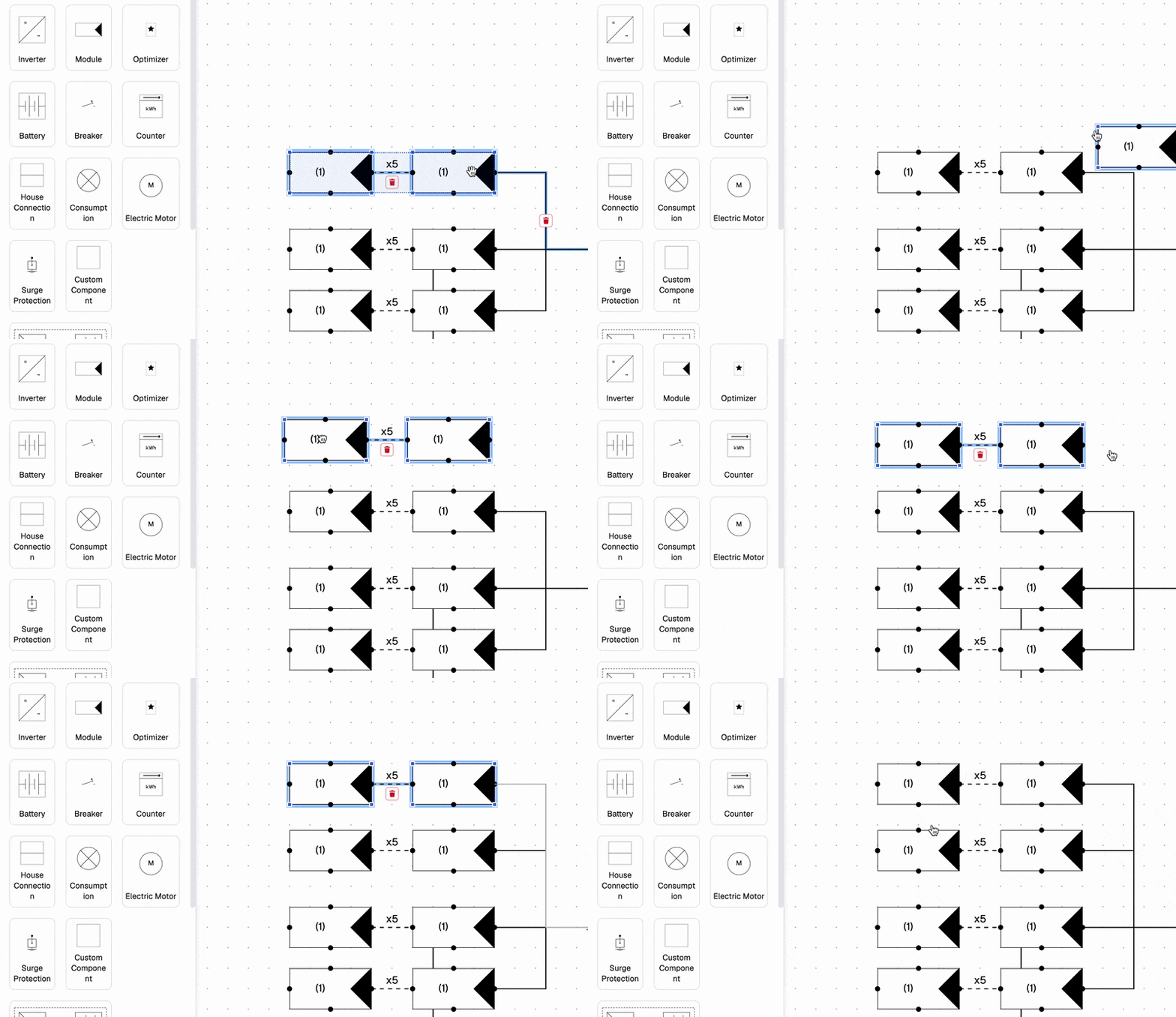
String design and inverter sizing built in
The DC side is part of the design, not an afterthought in a spreadsheet. Wire the array, size the inverter, and catch the problems before they reach the roof.
Strings into MPP trackers
Add an inverter from your catalogue and group modules into strings on its trackers. Modules on one string share orientation and shading, because the tracker runs the whole string at one operating point.
Auto-route strings
Generate strings that match orientation, respect the inverter's maximum current, and distribute across MPP trackers. Tweak any string by hand afterwards.
Current-limit checks
If a string's current exceeds the inverter limit, Reonic flags it inline so the dimensioning is right before you save.
Optimisers where needed
Flag shaded or oddly-oriented modules so they run at their own operating point instead of pulling their string down.
Microinverters
Plan per-module designs with microinverters and no tracker grouping to manage.
Optimiser yield gain
Reonic simulates each module's shading and calculates the yield difference with and without optimisers, in kWh and euros.
Simulation the customer can trust their money to
Behind every number is one simulation engine running the system tick by tick, not a rule of thumb applied to an annual total. The same engine drives the yield forecast, the energy flows, and the profitability page the customer actually buys.
Explore energy simulationEnergy flows – simulated at 15-minute ticks across a 20-year horizon, dispatching production to household, then battery, then grid, for a real self-consumption and self-sufficiency rate
Profitability (Wirtschaftlichkeit) – break-even year, lifetime savings, and a year-by-year cashflow chart, with electricity-price escalation, feed-in tariff, and subsidies as tunable levers
Whole system in one balance – battery, wallbox, and heat-pump load fold into the same simulation, so payback reflects what the customer is really buying
Dynamic and time-of-use tariffs – model Tibber, Octopus, or aWATTar pricing, or Italian F1/F2/F3 bands, when the tariff calls for it
From 3D model to a proposal you can send
The design isn't finished until the customer can read it. Reonic turns the planning into the documents the offer and the install crew need.
3D views in the offer – capture up to five custom viewpoints of the array into the customer PDF
Bill of materials – every module, inverter, and optimiser flows into the offer with article numbers and pricing
kWp into the workbook – the system size propagates into the installation workbook and procurement, no retyping
Book a demo. Get to know all products and features.
In a personal product presentation, we'll show you all products and features. Free of charge, no obligation and tailored to your business and needs.

Google Solar 3D meshes, Google Earth 3D tiles, drone photogrammetry models, OpenStreetMap building data, Apple, Google and Bing orthophotos, and your own architect's floor plan or image scaled to real dimensions. You can plan a building that isn't built yet.
Reonic runs a full 3D sun-path simulation over the year and scores every panel 0 to 10. It models trees, chimneys, dormers, and neighbouring buildings, and reports annual and monthly shading loss that flows into the yield.
Yes. Add an inverter, auto-route or hand-wire strings into its MPP trackers, and Reonic checks string current against the inverter limit. Add optimisers or microinverters where the design needs them.
Gable, hip, mansard, L-shape, and mixed pitched roofs with per-edge tilts, plus flat, shed (Pultdach), and east-west ballasted flat roofs. Multi-roof and multi-building sites aggregate into one result.
Yes. They fold into the same 15-minute energy-flow simulation, so self-consumption, payback, and the cashflow chart reflect the whole system rather than the solar alone.
Quick Planning gives a priced proposal with yield and profitability from a few inputs in minutes. Full 3D planning takes longer but locks the exact module count and layout.
A proposal PDF with 3D views of the array, the bill of materials, a single-line diagram, and a profitability page showing break-even, savings, and self-consumption.