Measure rooms with the LiDAR scanner in your iPhone
Walk a building, scan each room, and Reonic captures the geometry, walls, windows and doors. The measurements flow straight into the heat-load calculation. No tape measure, no laser.
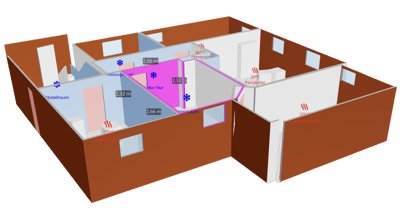
A tape measure that fits in your pocket
The LiDAR sensor in a Pro iPhone or iPad builds a 3D model of each room as you walk it. Reonic turns that model into a structured record you can calculate against, with nothing to carry but the phone you already have.
3D scan with Apple RoomPlan
Point the camera and the LiDAR sensor builds a 3D mesh of the room. Reonic reads dimensions, walls, openings, ceiling and floor out of it automatically.
Runs on the iPhone you have
Works on any iPhone 12 Pro or newer Pro model and on the iPad Pro from 2020. No laser meter, no separate scanner, no rental.
Walls, windows and doors to scale
Lengths, heights and openings are captured at real scale, ready to classify each wall by what it faces, the value the heat-load calculation runs on.
Stitch rooms into one model
Continue from the adjacent room and Reonic keeps everything in one coordinate frame, so a whole storey lines up instead of becoming a pile of unrelated rooms.
Works offline
Scan in a basement with no signal. The captures cache on the device and sync when you're back in range.
Straight into the heat-load calculation
The captured rooms feed the room-by-room heat-load calculation to DIN EN 12831, with no re-measuring and no re-keying.
Scan a building in a single walk
Open the room, start the scan, and sweep the walls, corners, ceiling and floor. When the room is captured, continue through the doorway into the next one and Reonic stitches them together. Snap a photo of a radiator or control panel to keep with the room.
Continue from adjacent to keep one coordinate frame
Attach photos to any room as you go
Battery-aware: scan a full house on one charge with care
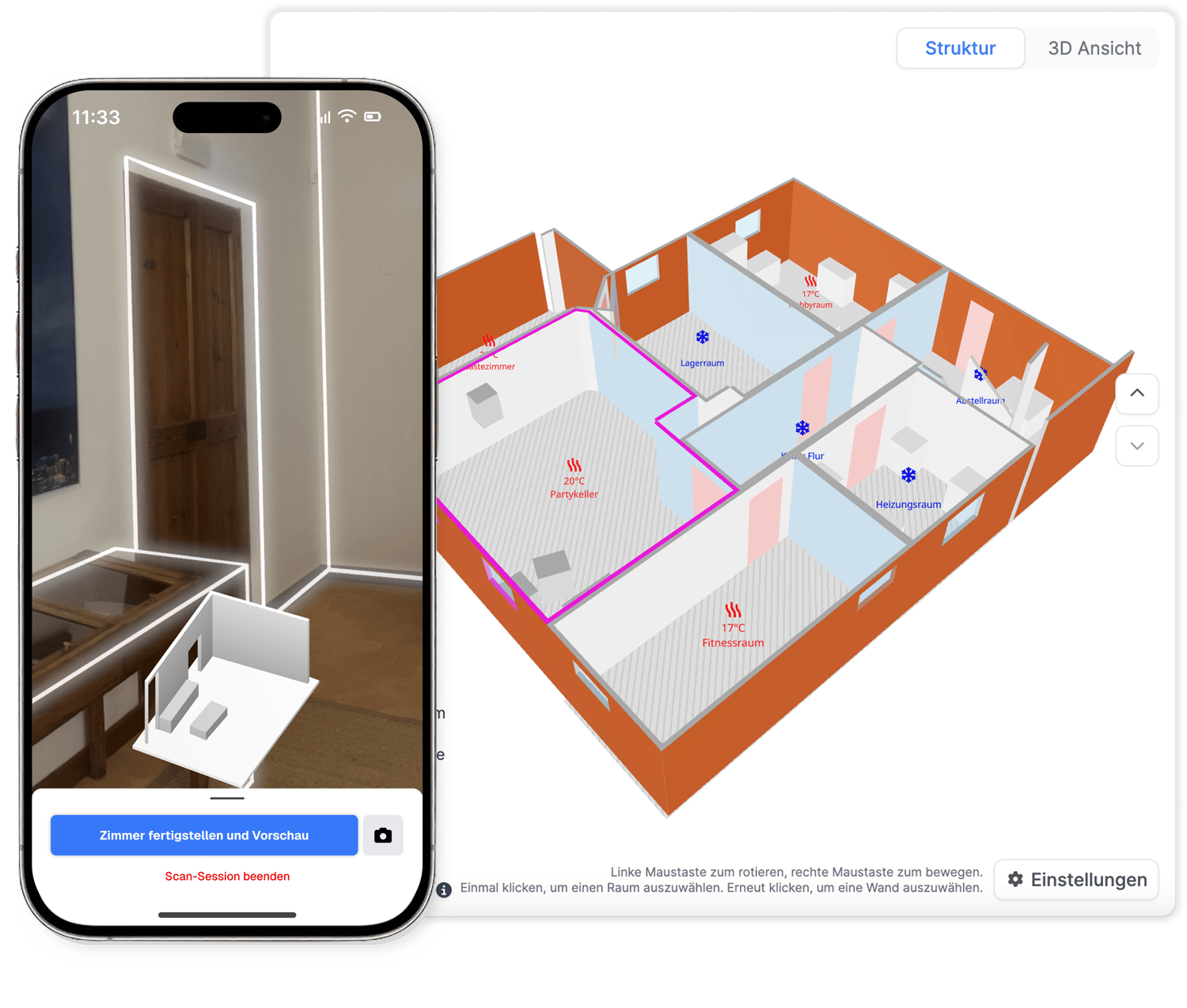
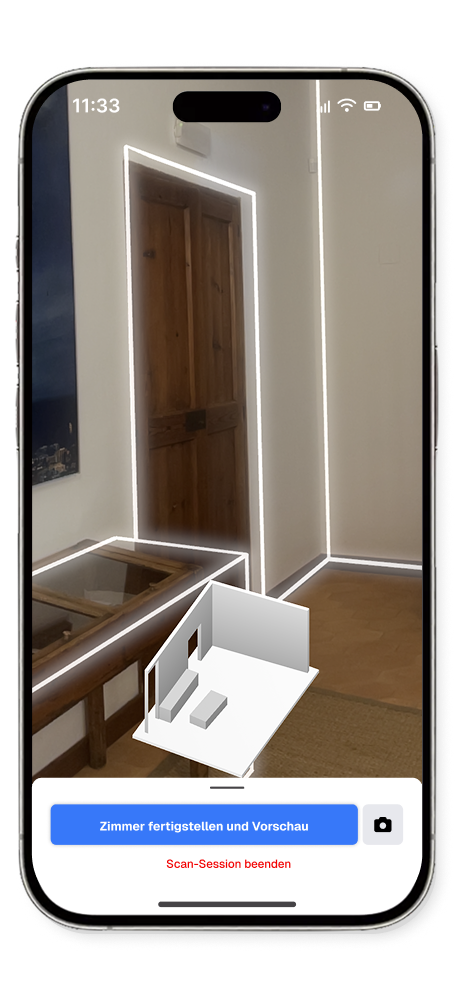
From scan to a calculation you can file
Back in the portal, every scanned room arrives with its geometry filled in. Confirm the wall types, materials and heating, and Reonic runs the heat-load calculation, the hydraulic balance and the funding report. No LiDAR on site? Trace a floor plan or enter rooms by hand and the result is the same.
Classify each wall by what it faces for an accurate result
Feeds the DIN EN 12831 heat-load calculation directly
Manual entry and floor-plan tracing produce the same record
Book a demo. Get to know all products and features.
In a personal product presentation, we'll show you all products and features. Free of charge, no obligation and tailored to your business and needs.

LiDAR is a sensor that measures distance with light. The Pro iPhone and iPad Pro use it to build an accurate 3D model of a space, which is what lets Reonic measure a room without a tape measure.
You open the Reonic app, start a scan and walk the room while the LiDAR sensor builds a 3D mesh. Reonic reads the dimensions, walls and openings out of the mesh and creates a structured room record you can calculate against.
Every Pro iPhone from the iPhone 12 Pro onwards (Pro and Pro Max), and the iPad Pro from 2020. Non-Pro iPhones and Android devices don't have the sensor, but you can still use the app and enter rooms manually.
No. The scan runs on a Pro iPhone or iPad Pro you already carry. There's no separate scanner, laser meter or subscription for hardware.
You can build the same room record by hand, on any device including Android, or by tracing an imported floor plan. The heat-load calculation runs identically; only the customer-facing 3D visualisation needs a scan.
LiDAR captures room dimensions to within a few centimetres, accurate enough for a DIN EN 12831 heat-load calculation. You can review and correct every measurement in the portal before the calculation runs.
Yes. Scans cache on the device, so you can finish a basement or a building with no signal and let the data sync once you're back in range.
The captured rooms feed Reonic's room-by-room heat-load calculation to DIN EN 12831, which drives heat-pump sizing, the hydraulic balance and the funding report.