Diseña diagramas unifilares
directamente en tu planificación
Crea, edita y reutiliza diagramas unifilares profesionales sin salir de Reonic. Totalmente integrado en tu flujo de planificación.
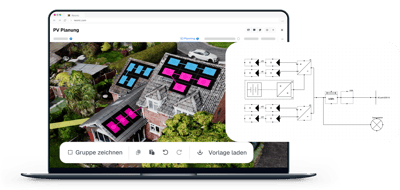
AI Single-line diagram
Auto-generate single-line electrical diagrams
Automatically create single-line electrical diagrams from your system configuration, standards-compliant and ready to export.
Todo lo que necesitas para diagramas profesionales.
El editor de diagramas Reonic te da control total sobre tus diagramas unifilares, desde ediciones rápidas hasta configuraciones complejas de multi-inversores.
Totalmente editable
Modifica módulos, cadenas e inversores. Añade nuevos componentes, copia, pega o elimina los existentes.
Plantillas de diagramas
Guarda cualquier diagrama como plantilla y reutilízalo en otros sistemas y proyectos.
Importar diagramas
Importa un diagrama existente como punto de partida, sin necesidad de empezar desde cero.
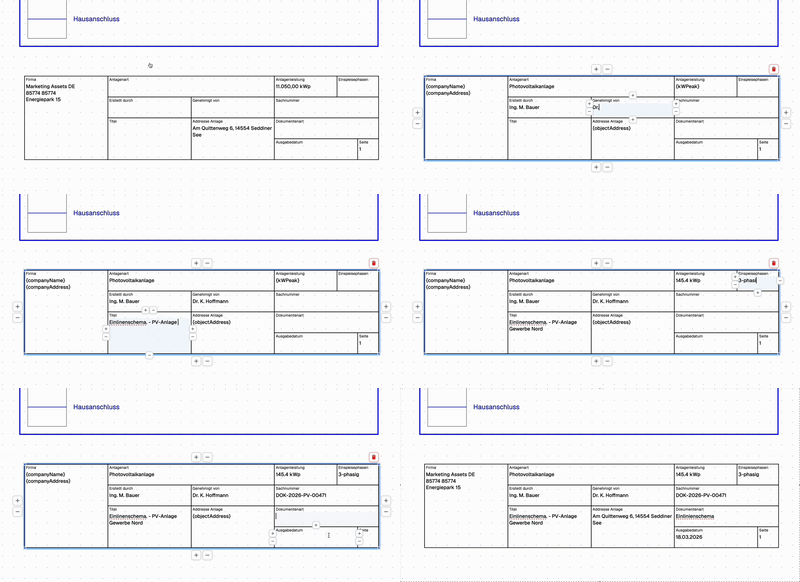
Etiquetas y descripciones
Añade etiquetas y descripciones a cada elemento para diagramas claros y auto-documentados.
Leyendas personalizables
Crea una leyenda personalizada para explicar cada parte del diagrama
Control total sobre cada componente
Añade nuevos componentes o elimina los existentes en segundos
Copia y pega elementos para crear rápidamente configuraciones complejas
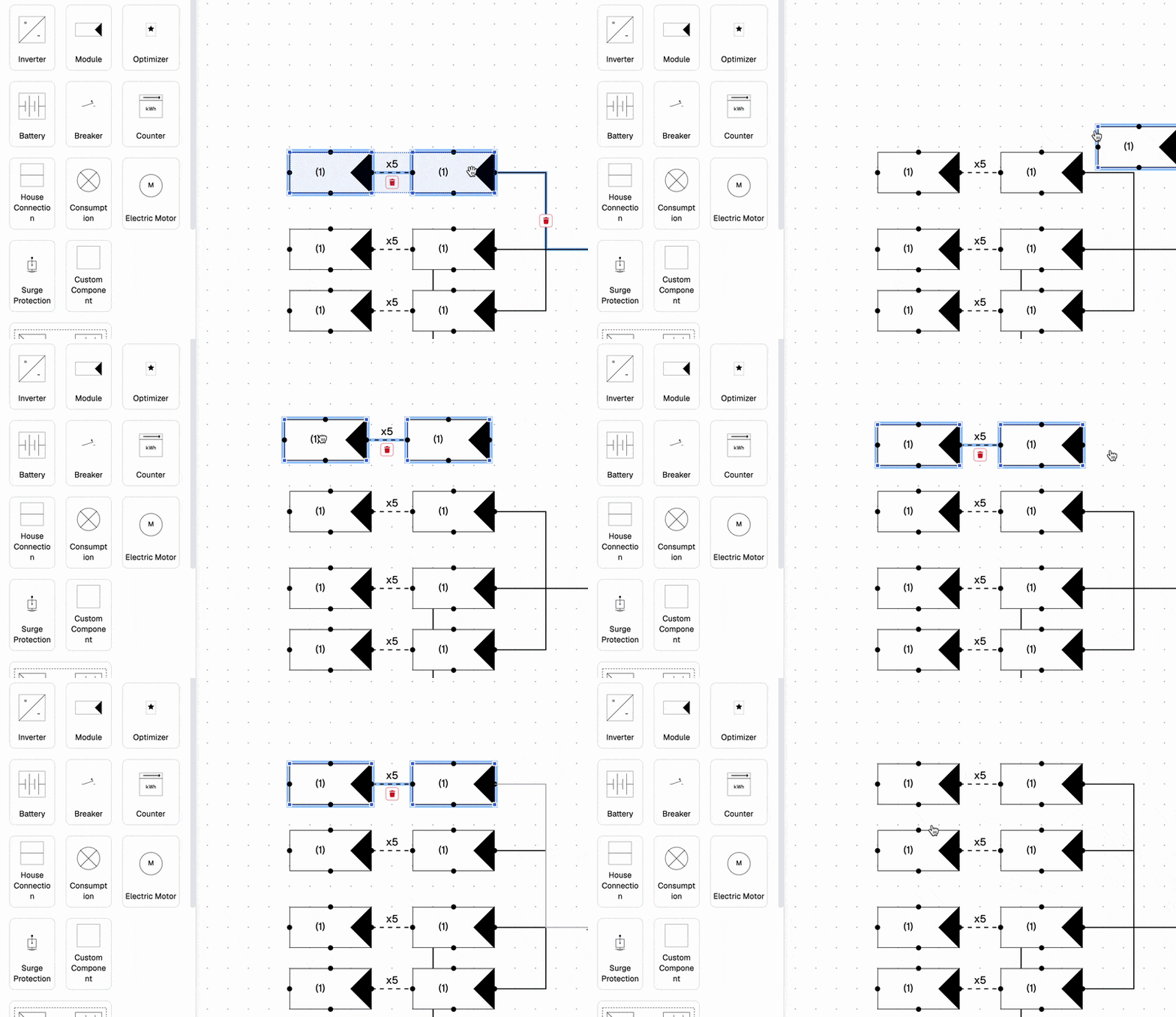
Ahorra tiempo con plantillas reutilizables
Reutiliza las plantillas en diferentes sistemas y proyectos
Importa diagramas existentes como punto de partida
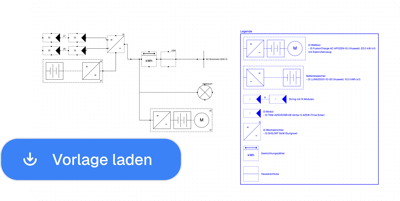
Documenta cada detalle
Añade etiquetas y descripciones a cada elemento
Genera documentación profesional lista para la entrega
Agenda una demo. Conoce todos los productos y funcionalidades.
En una presentación personalizada, te mostraremos todos los productos y funcionalidades. Sin costo, sin compromiso y adaptada a tu empresa y a tus necesidades.

No. El editor de diagramas está totalmente integrado en Reonic y accesible directamente desde cualquier planificación con un clic, sin software ni suscripción adicional.
Sí. Puedes guardar cualquier diagrama como plantilla y aplicarlo a otros sistemas y proyectos, ahorrando tiempo en configuraciones recurrentes.
Puedes modificar módulos, cadenas e inversores, añadir nuevos componentes, copiar, pegar o eliminar los existentes, y añadir etiquetas y descripciones a cada elemento.
Sí. Puedes crear una leyenda personalizada para explicar cada parte del diagrama, haciendo tu documentación clara y profesional.